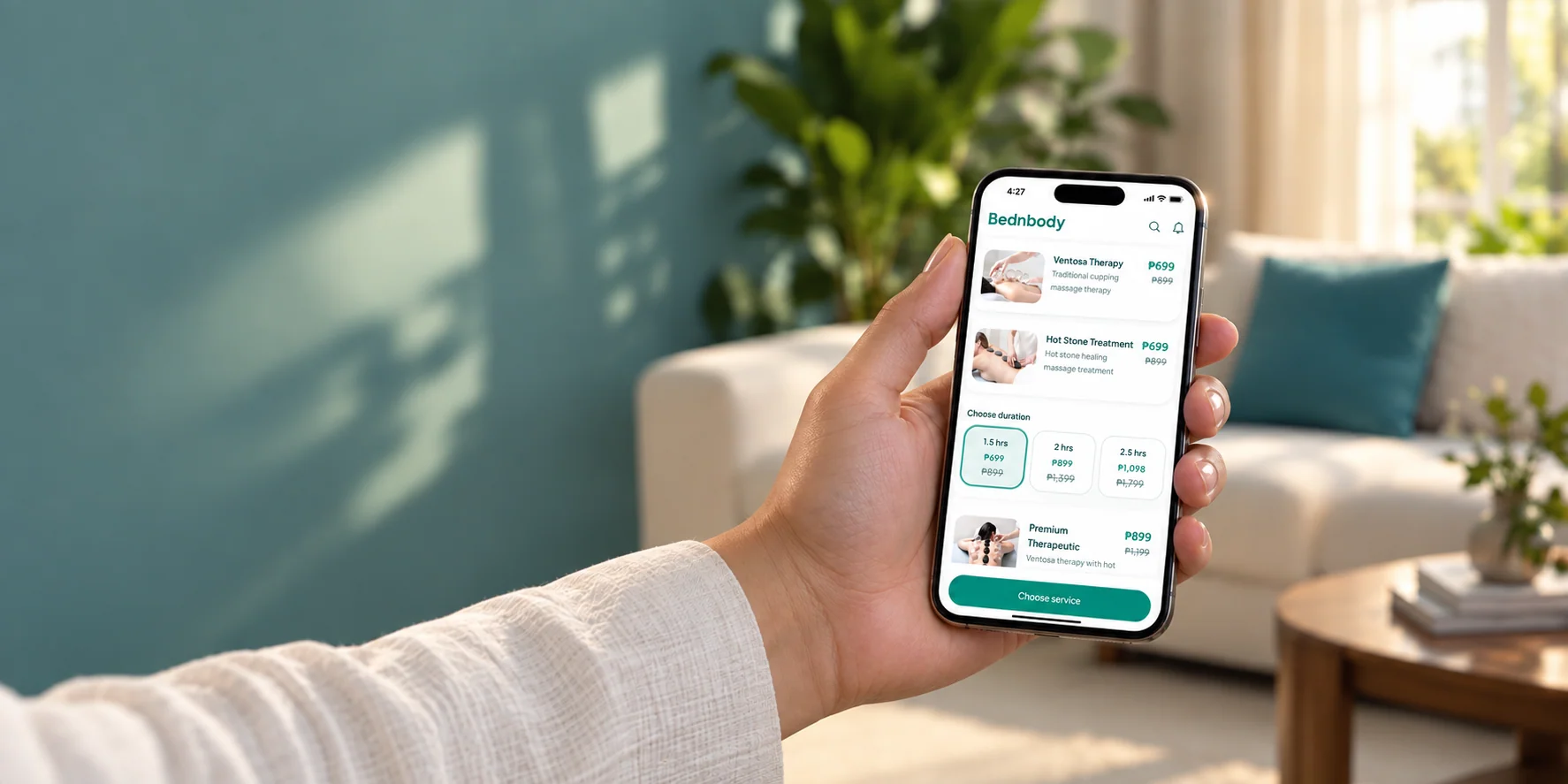
Add Bednbody to your phone screen
Quick steps to put Bednbody to your phone in about a minute, with no download and no storage used. Choose iPhone or Android, practice each step here, then repeat it on your phone.
Which phone do you use?
Choose your phone, then try each step.
Let’s add Bednbody to your iPhone.
First, open Bednbody in Safari.
Opens in a new tab. Come back here to follow the pictures.
Tap the highlighted button on your phone. Your screen may look slightly different.
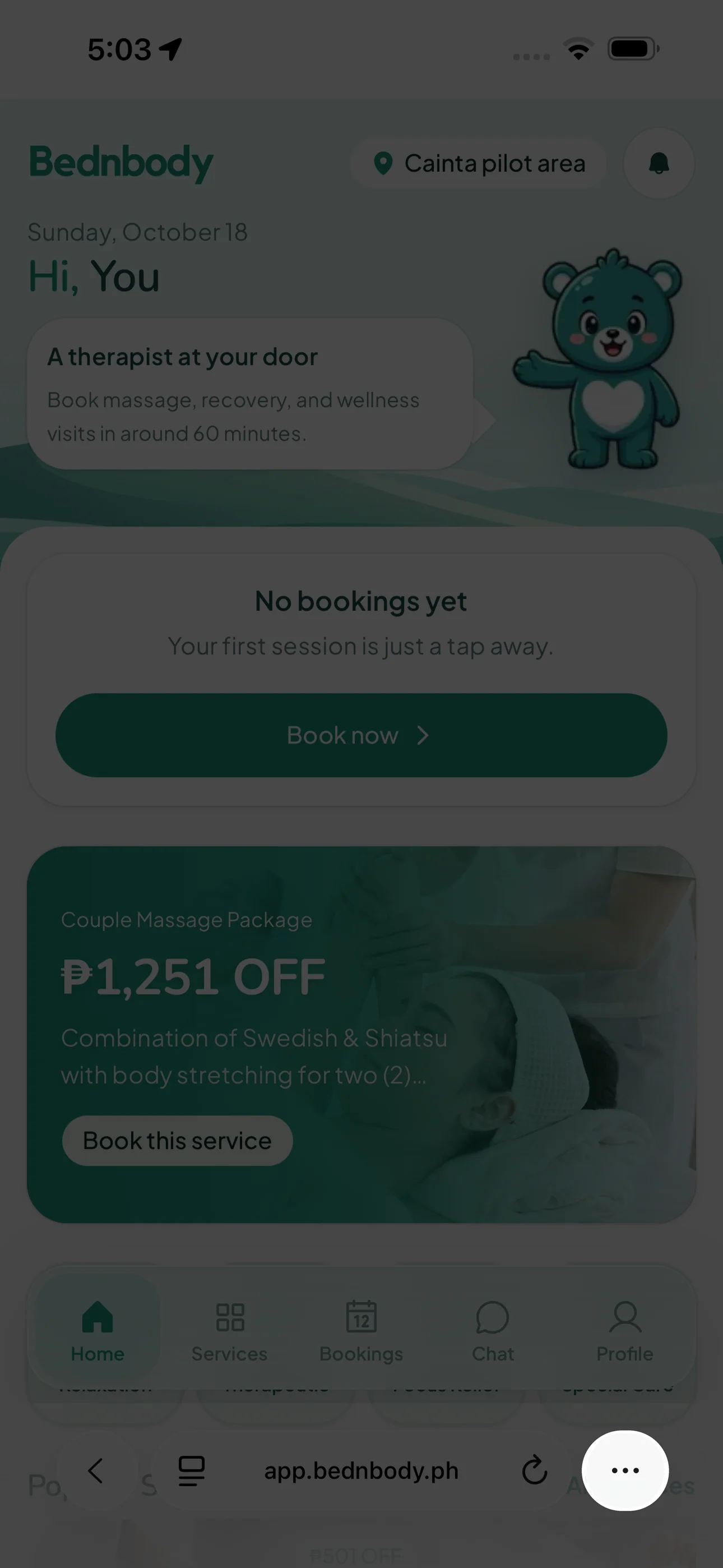
Tap the three dots
Look at the bottom-right corner of Safari.
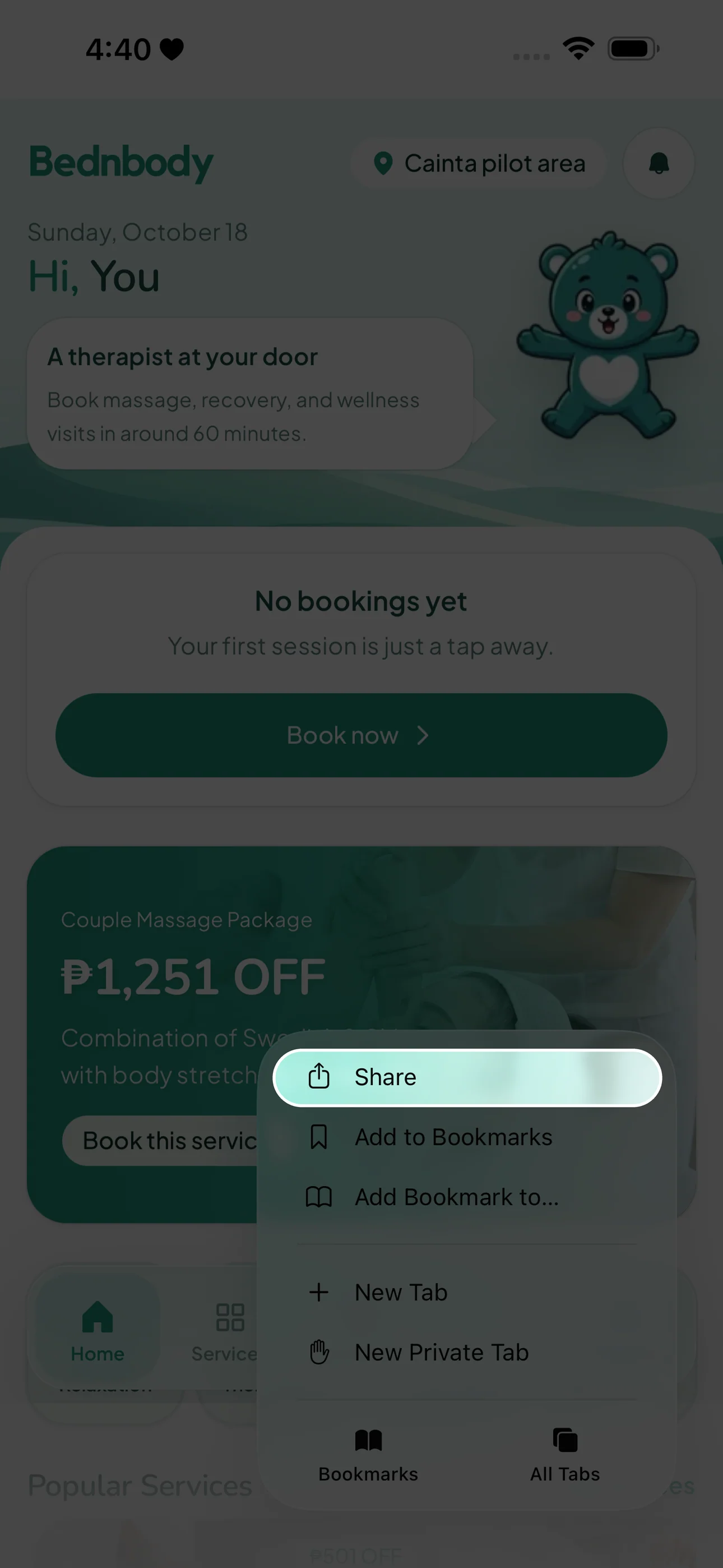
Tap “Share”
Choose “Share” from the menu that opens.
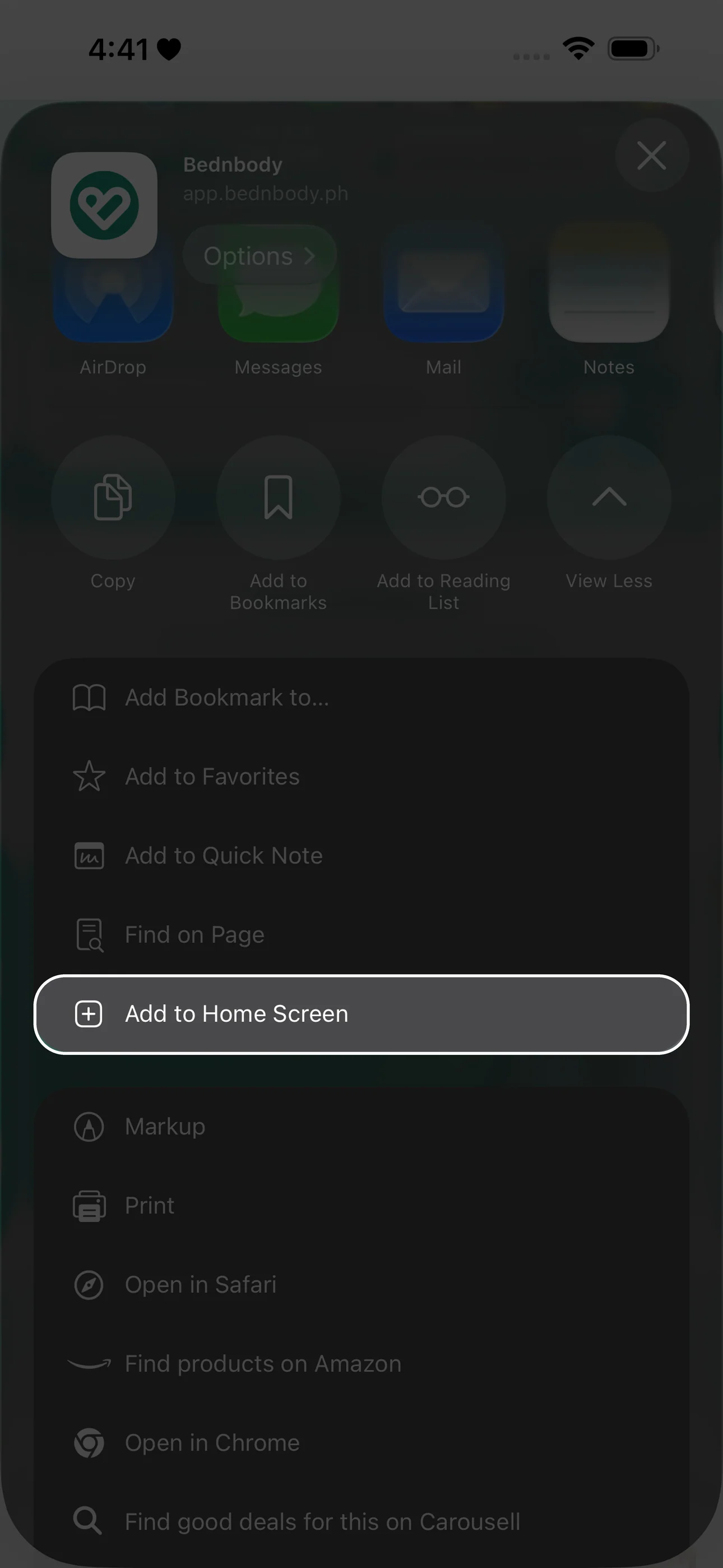
Tap “Add to Home Screen”
Scroll down the sharing options to find it.
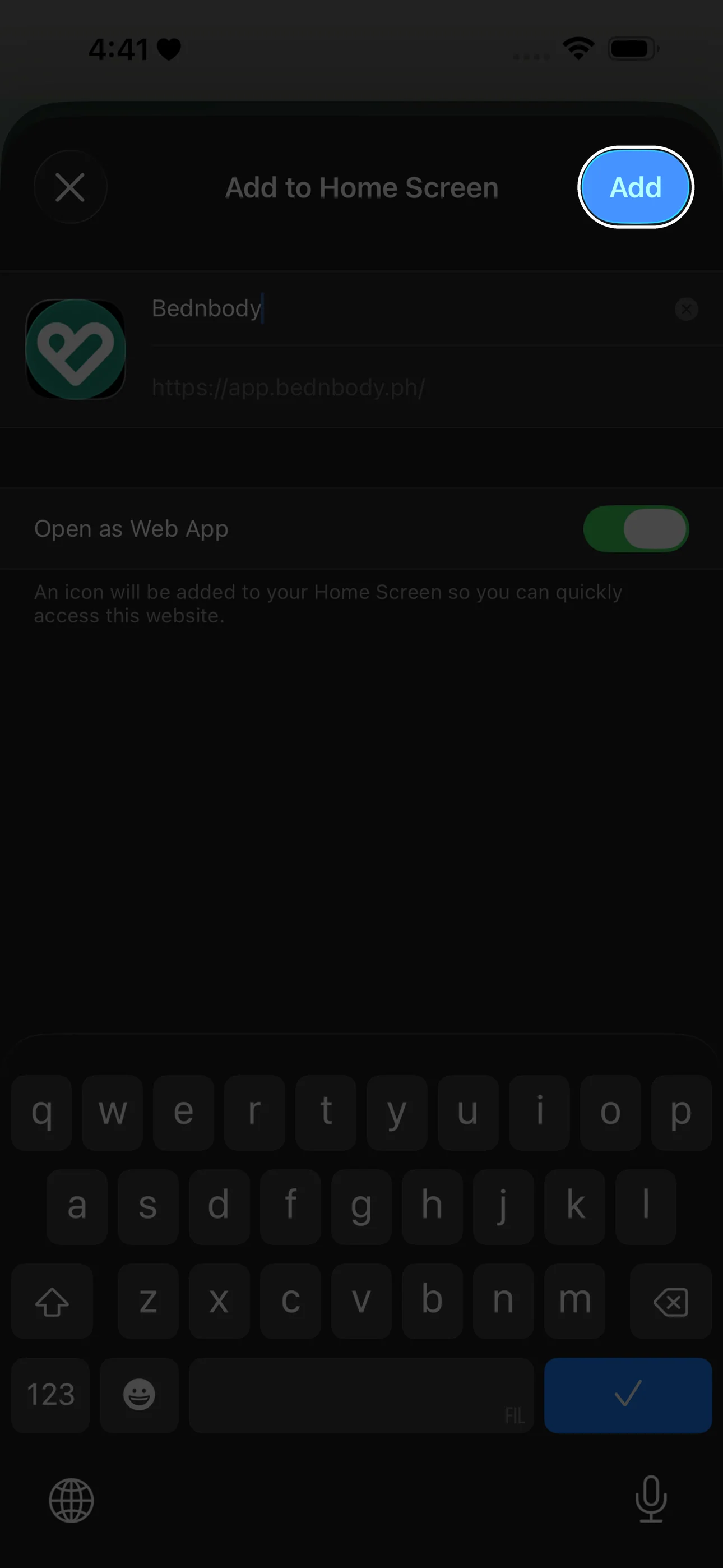
Tap “Add”
Keep “Open as Web App” turned on, then tap “Add” at the top right.
If Safari shows the Share icon directly, tap it and continue with step 3.
Let’s add Bednbody to your Android phone.
First, open Bednbody in Chrome.
Opens in a new tab. Come back here to follow the pictures.
Tap the highlighted button on your phone. Your screen may look slightly different.
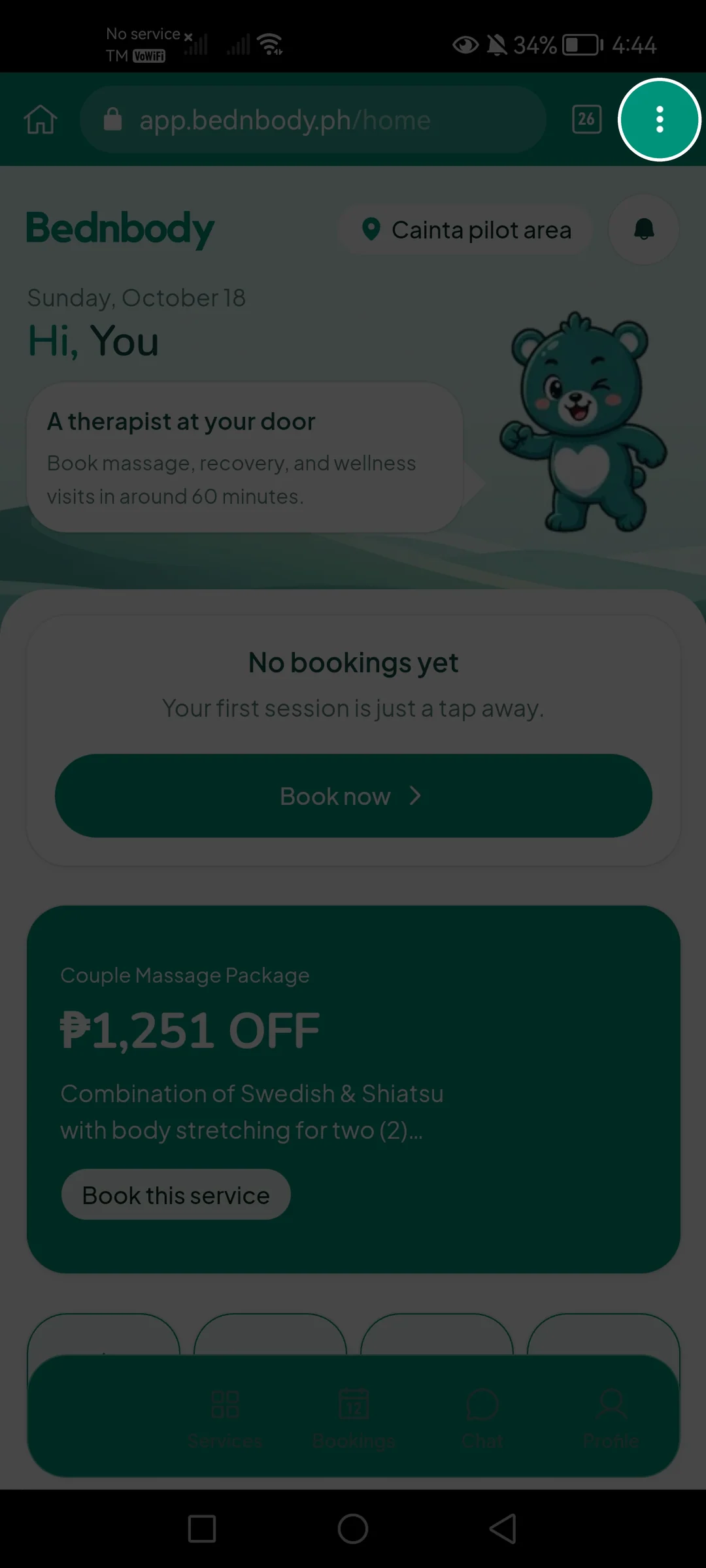
Tap the three dots
Look at the top-right corner of your browser.
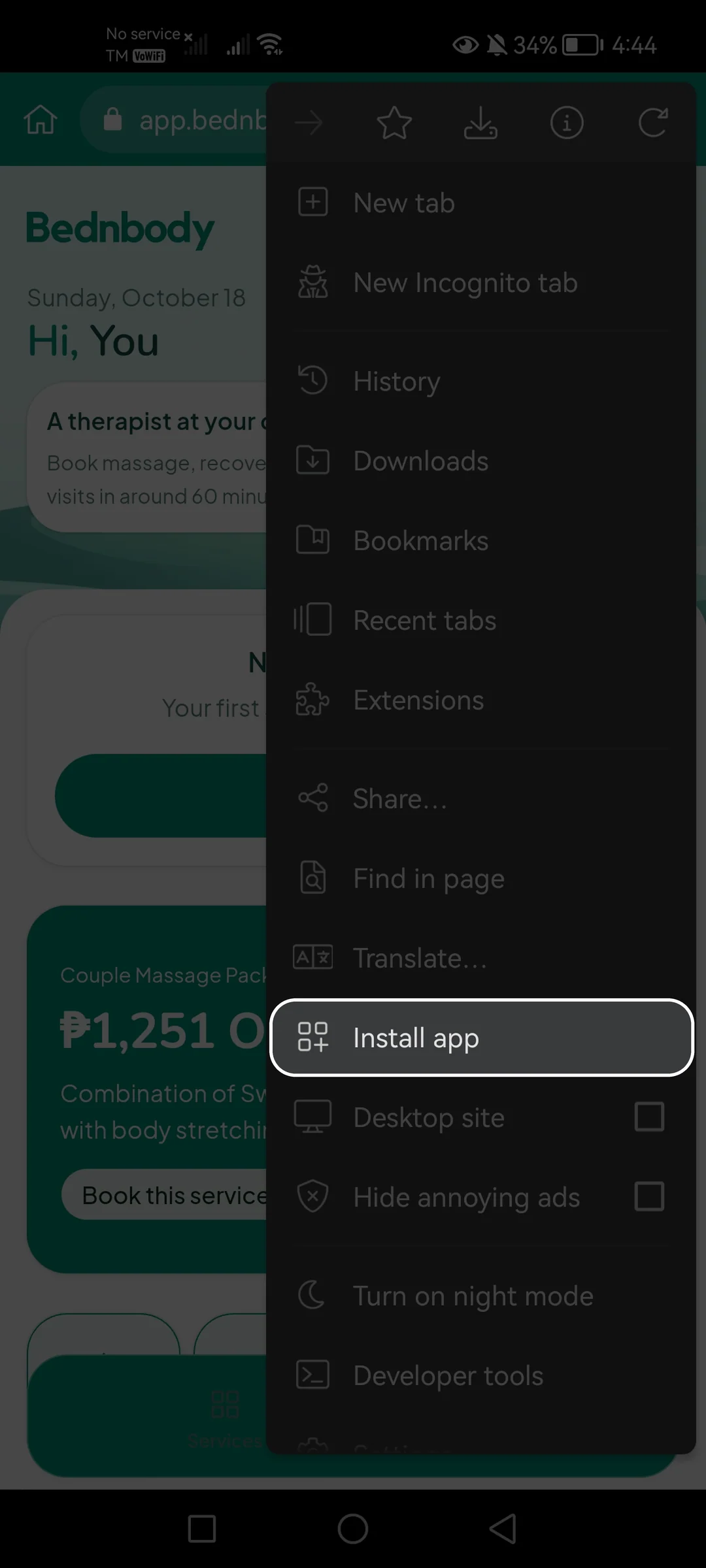
Tap “Install app”
Find “Install app” in the menu. You may need to scroll.
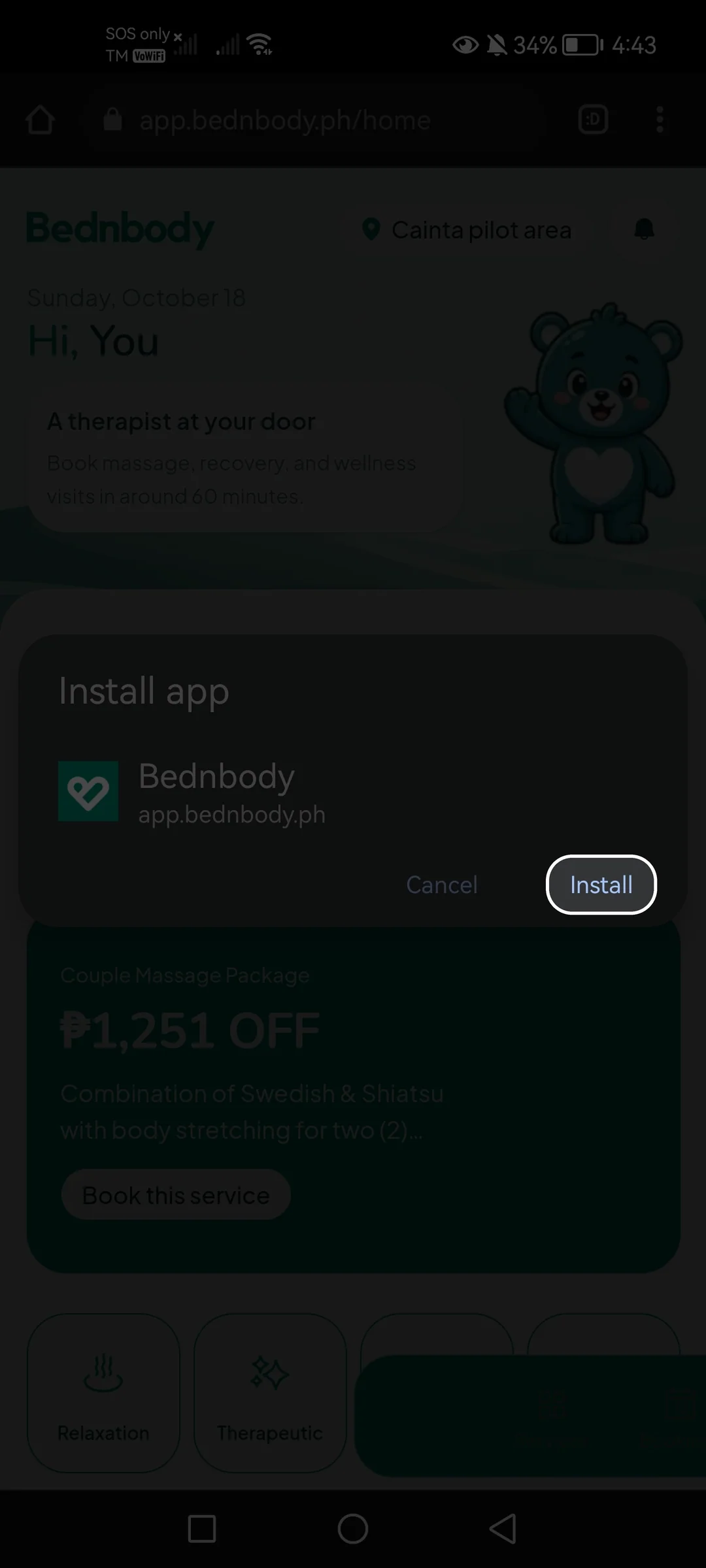
Tap “Install”
Confirm that you want to install Bednbody.
Tap “Add”
Add the Bednbody icon to your home screen.
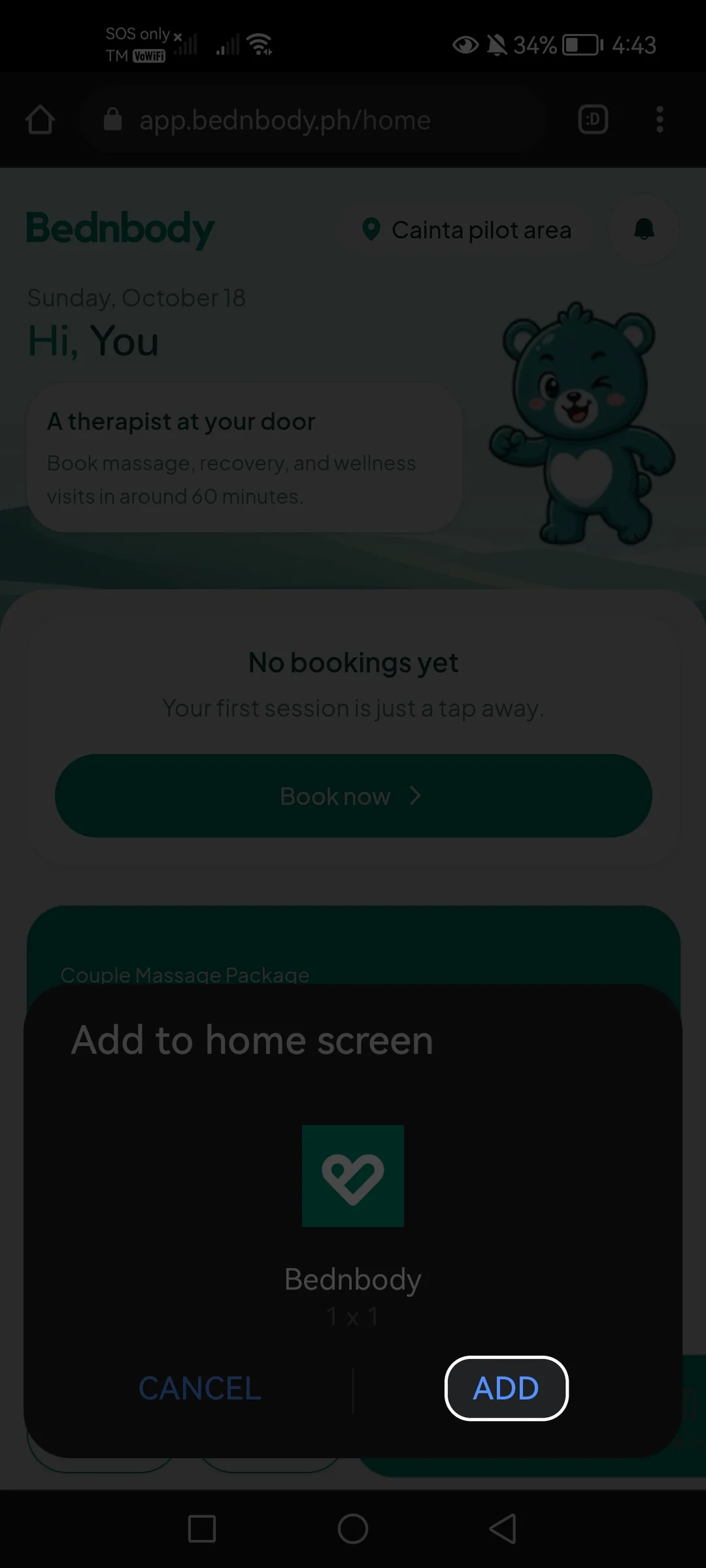
Some phones say “Add to Home screen” instead of “Install app”. If no extra “Add” prompt appears, the installation is already complete.